4.2 Edit or Delete a Sent Broadcast
A sent broadcast can be edited or deleted once within one week of its delivery time. A corrected broadcast can also be deleted later.
Edit a sent broadcast
Editing does not send a new notification to receivers.
- Open the broadcast to edit from Broadcasts.
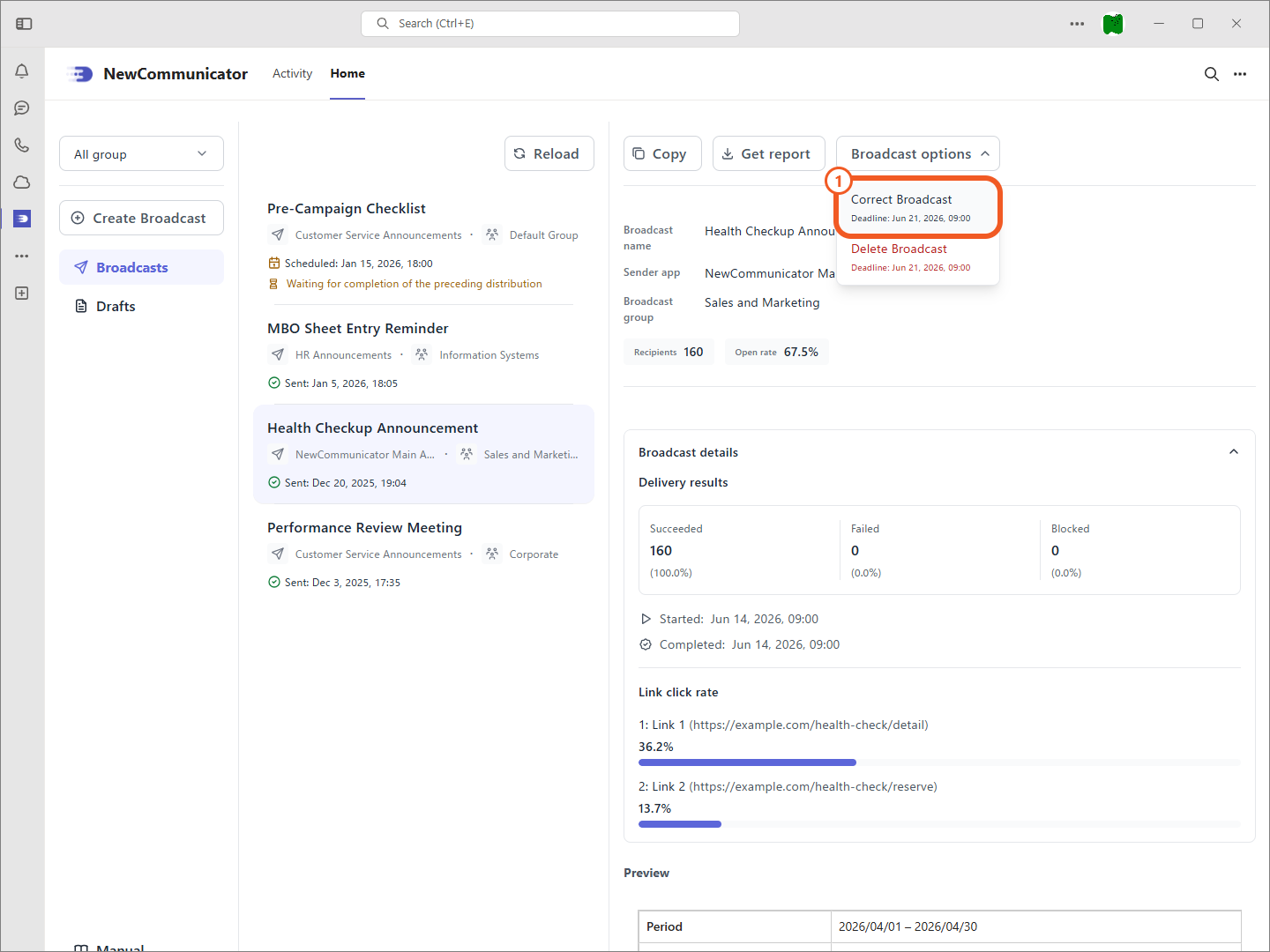
- From Broadcast options, select Correct Broadcast.
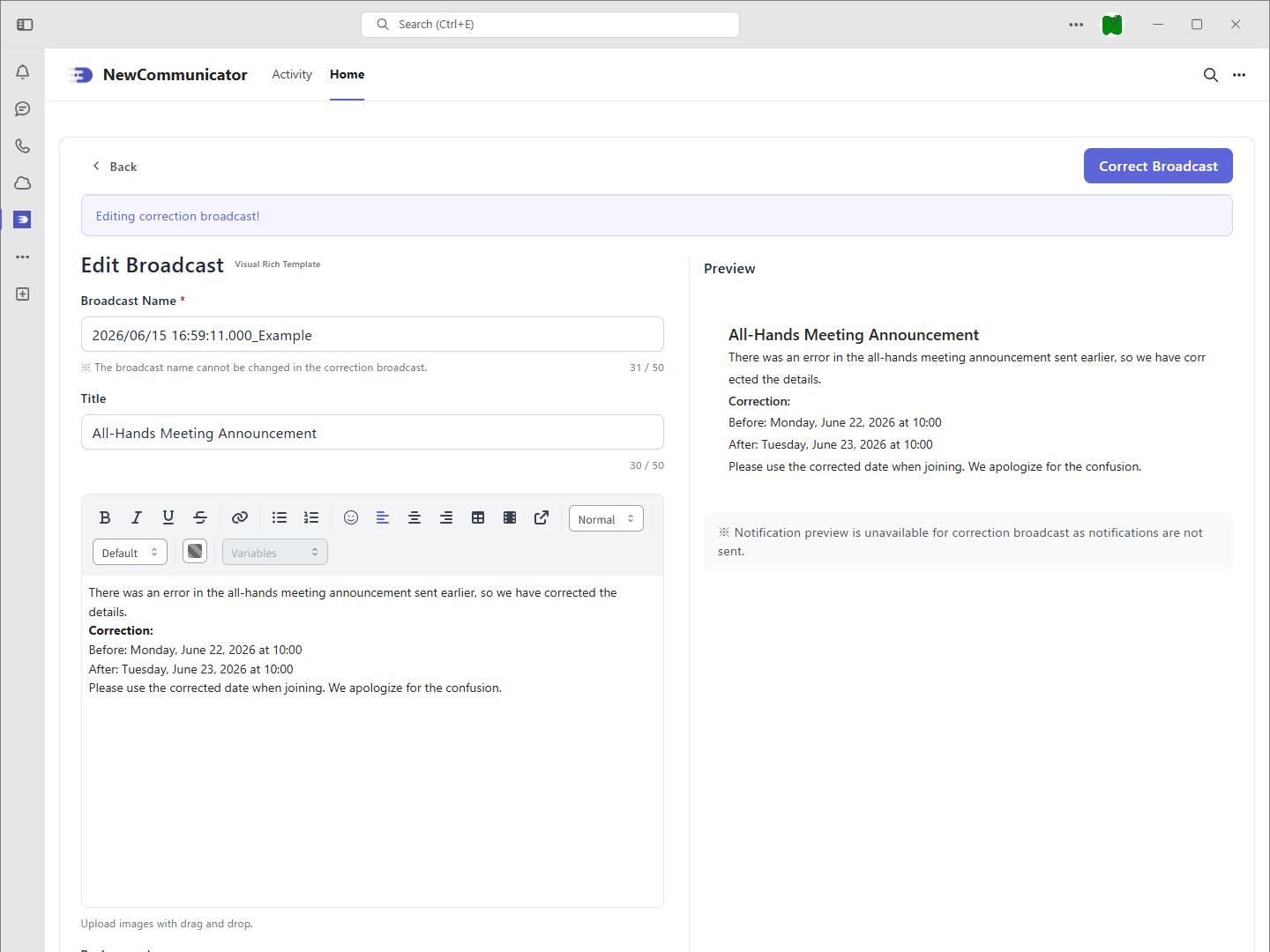
- Edit the content and select Correct Broadcast.
Delete a sent broadcast
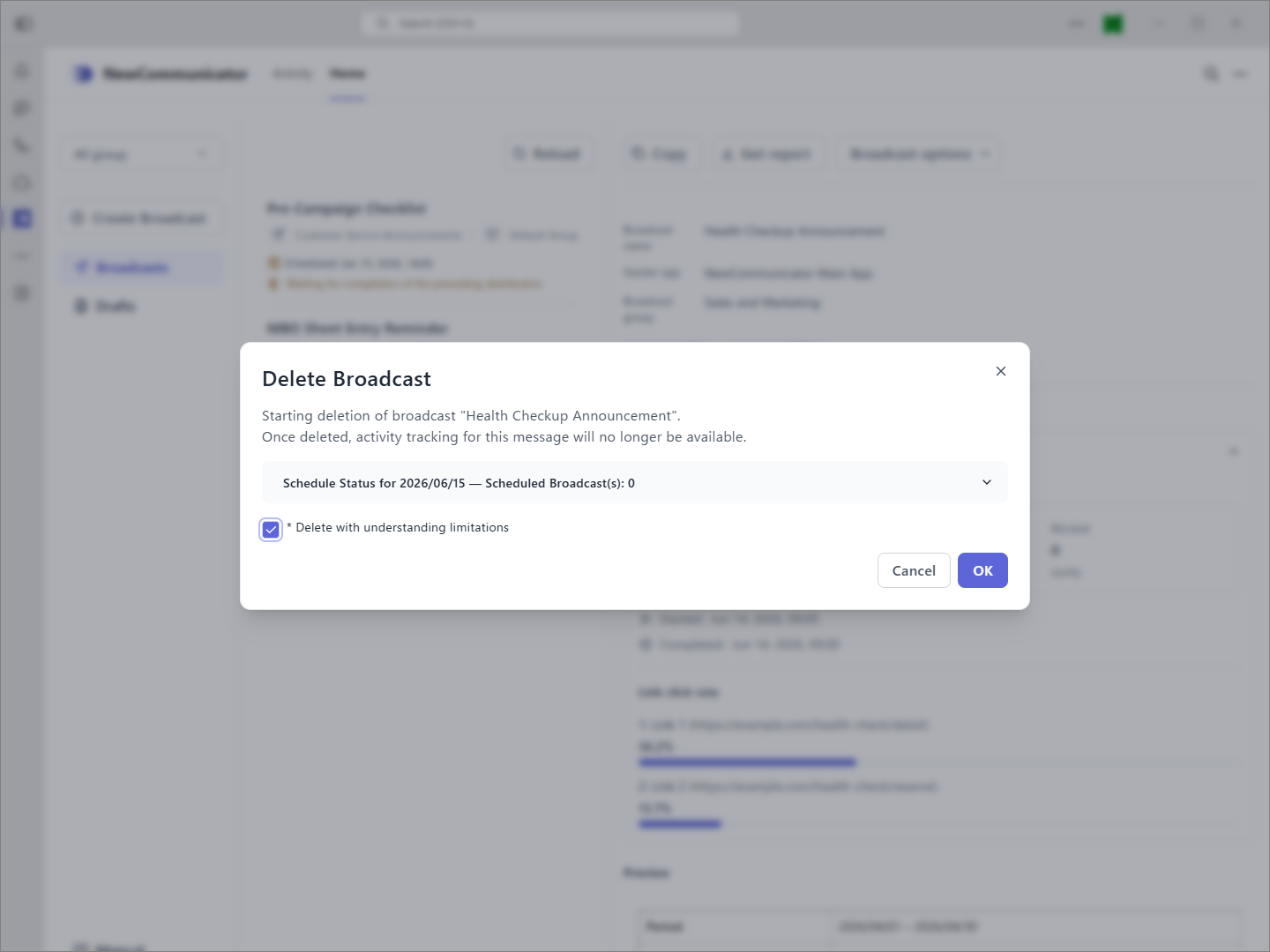
Activity tracking is no longer available for a deleted broadcast.
- Open the broadcast to delete from Broadcasts.
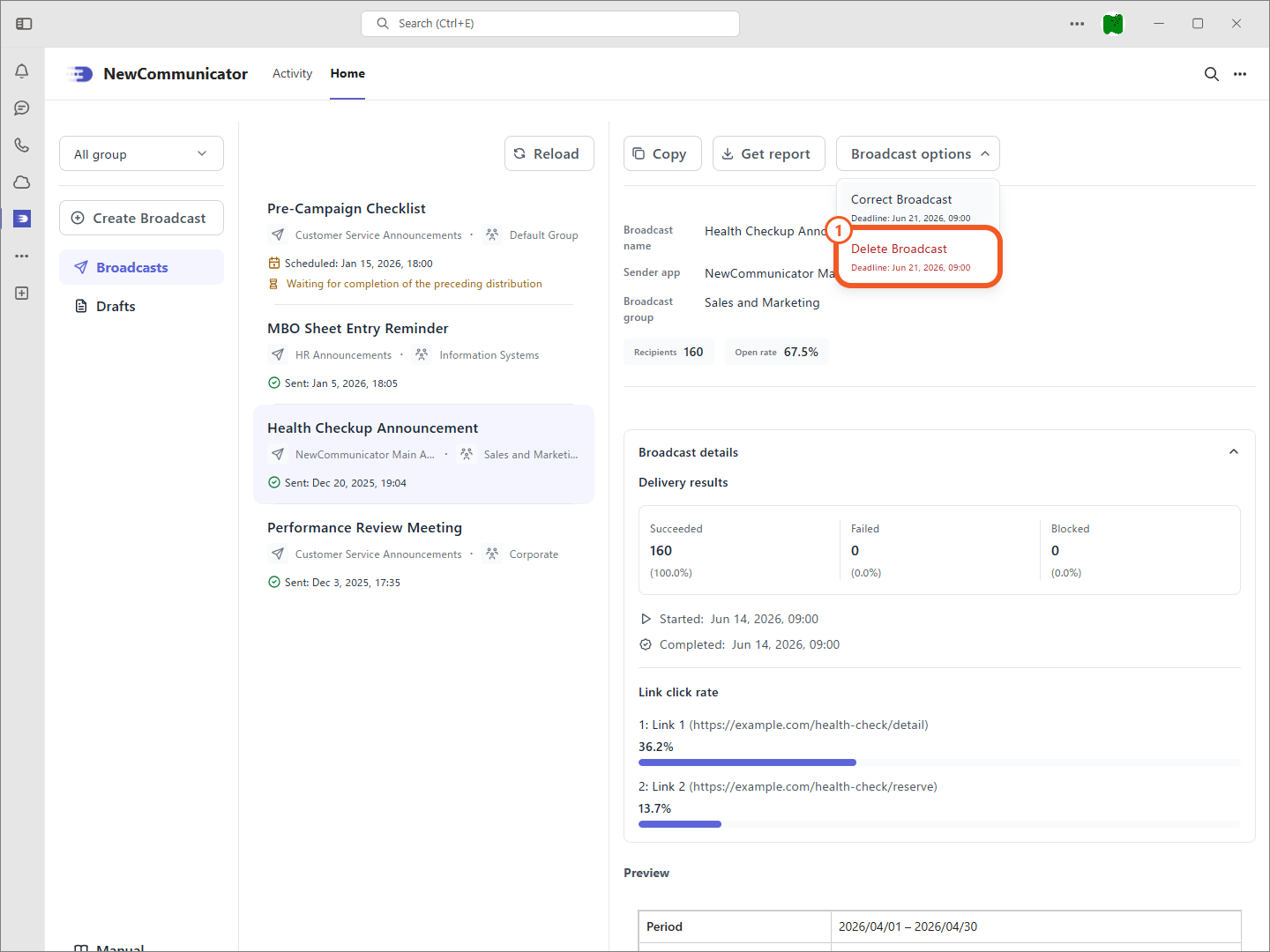
- From Broadcast options, select Delete Broadcast.
- In the confirmation dialog, select the checkbox acknowledging the restrictions and select OK.
End of the Operations section
This concludes the Operations section.