6 Customizing App Name and Icon
note
This page describes how to change the main app. To change a sender app name or icons, see Chapter 8, Changing a Sender App Name and Icon.
In the Microsoft Teams admin center, you can change the NewCommunicator app name, icon, and description displayed in Teams.
Open the app
- Sign in to the Microsoft Teams admin center.
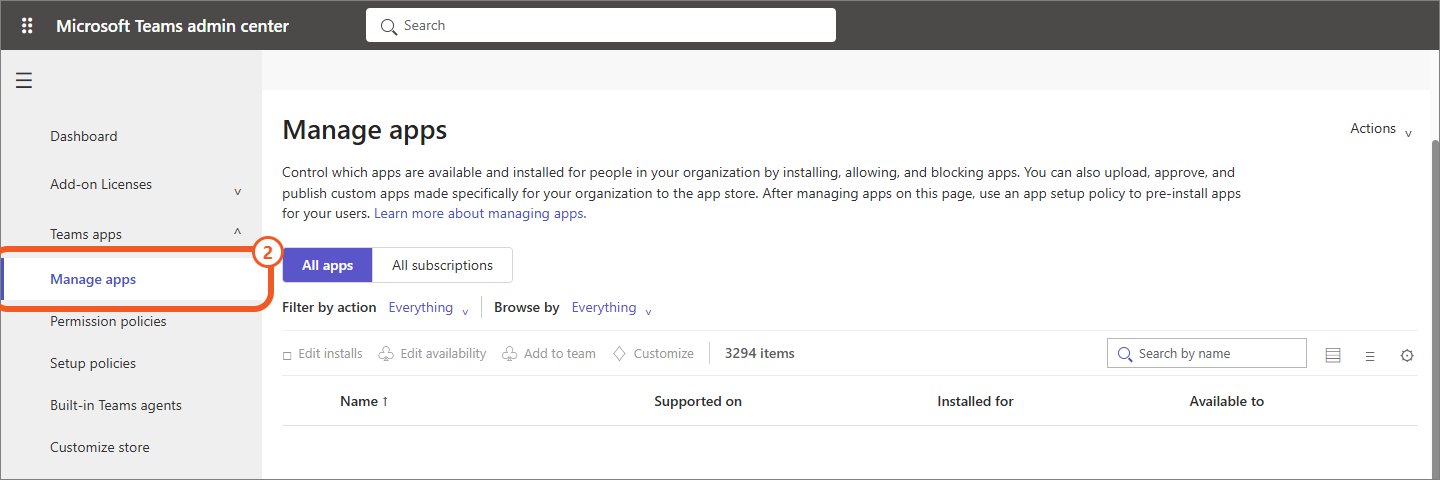
- From the left menu, open Teams apps → Manage apps.
- Search for and open NewCommunicator. If the app name was already changed, search for the customized name.
Change the app name and icon
- Select Customize.
- In Edit customization on the right, configure the app name, description, and icons.
- Select Apply.
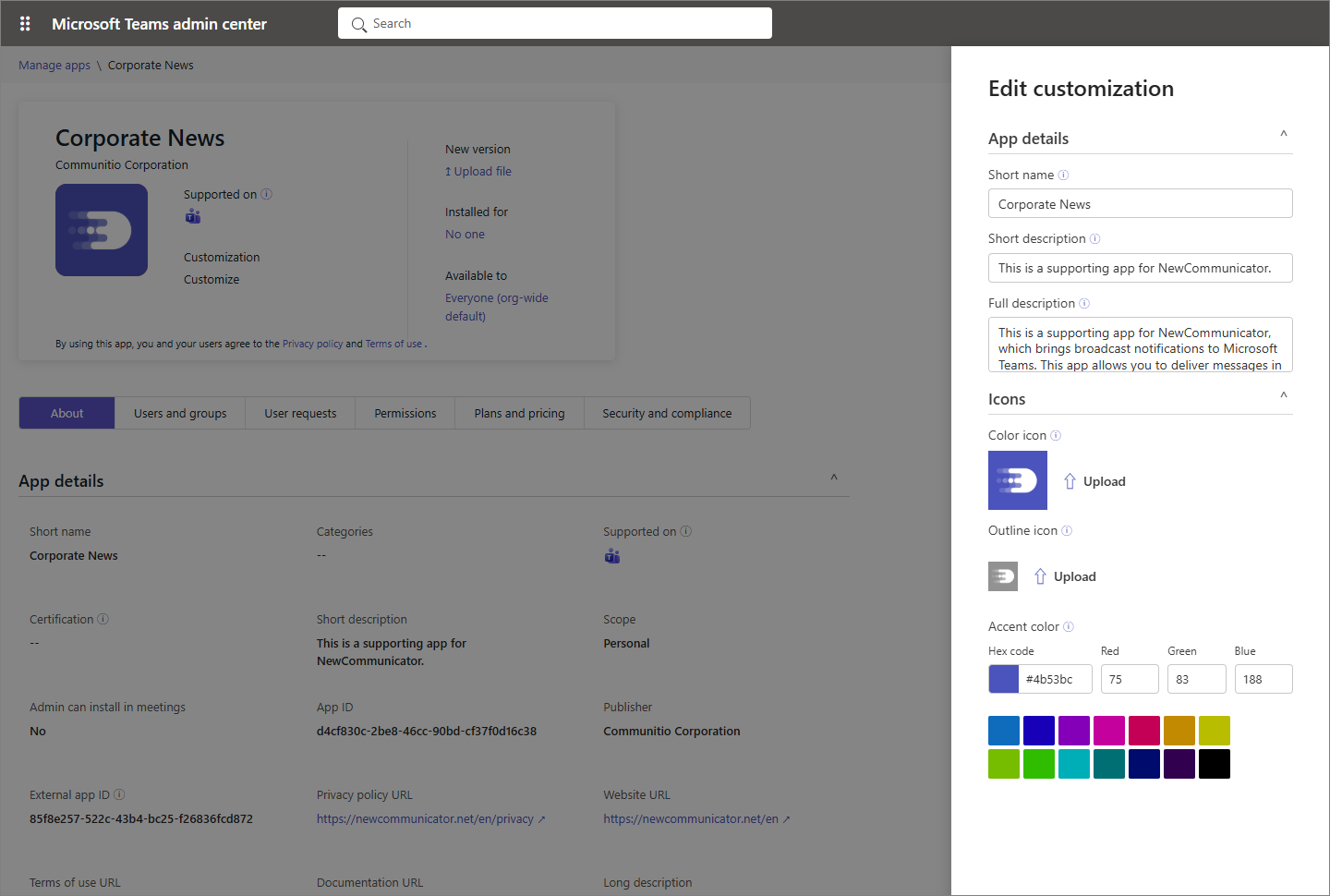
The following image settings are available.
| Item | Specifications |
|---|---|
| Short name | Up to 30 characters |
| Short/Full description | Displayed when users search for the app in Teams |
| Color icon | 192 × 192 pixel PNG |
| Outline icon | 32 × 32 pixel PNG |
caution
It can take up to 24 hours for the settings to appear in users' Teams environments. Part of the app name may be truncated depending on the screen width.