1 App Permissions
Sign in to the admin site
- Open the NewCommunicator admin site.
- Select Log in.
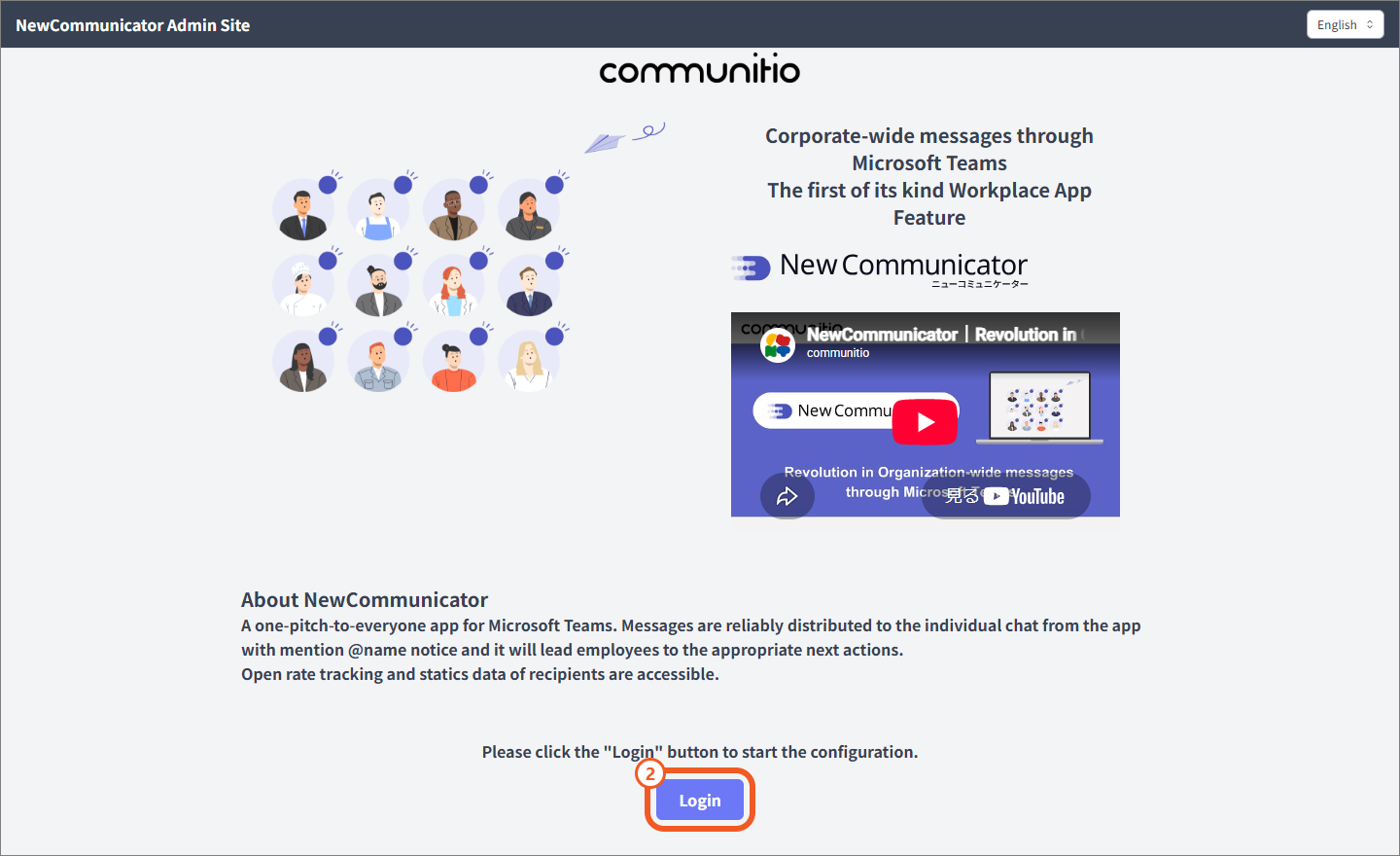
Sign in to Microsoft 365
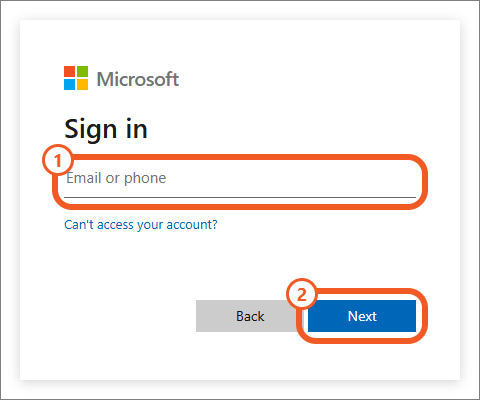
- Sign in with a Microsoft 365 global administrator account.
- Enter your email address or phone number and select Next.
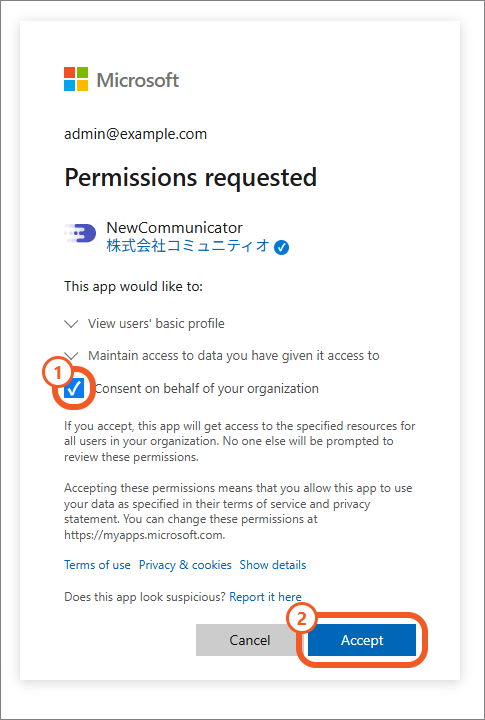
Allow access to NewCommunicator
- Select Consent on behalf of your organization.
- Select Accept.
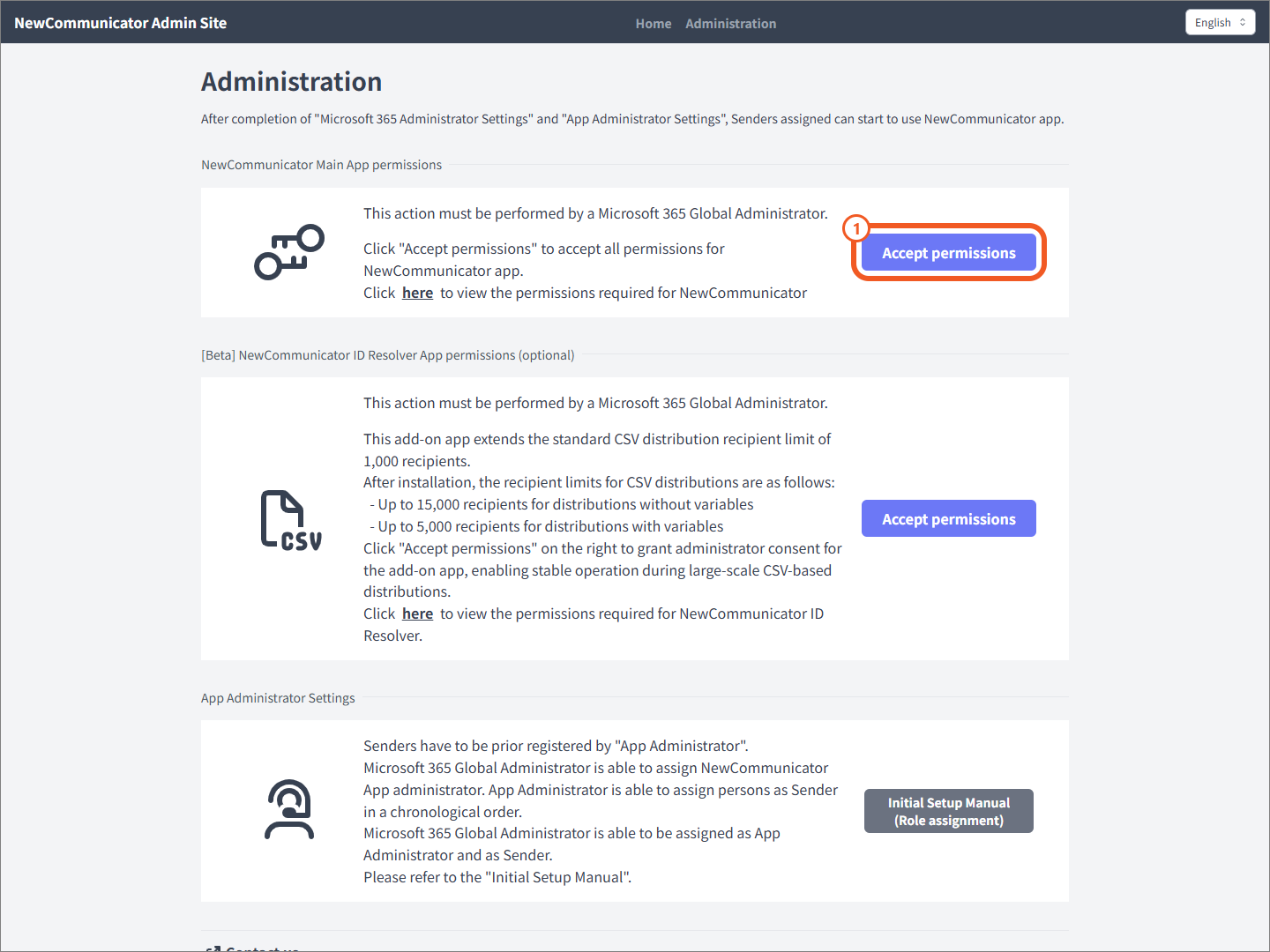
Grant permissions to the main app
Permission setup for the main app is required on all plans. Grant the permissions as follows.
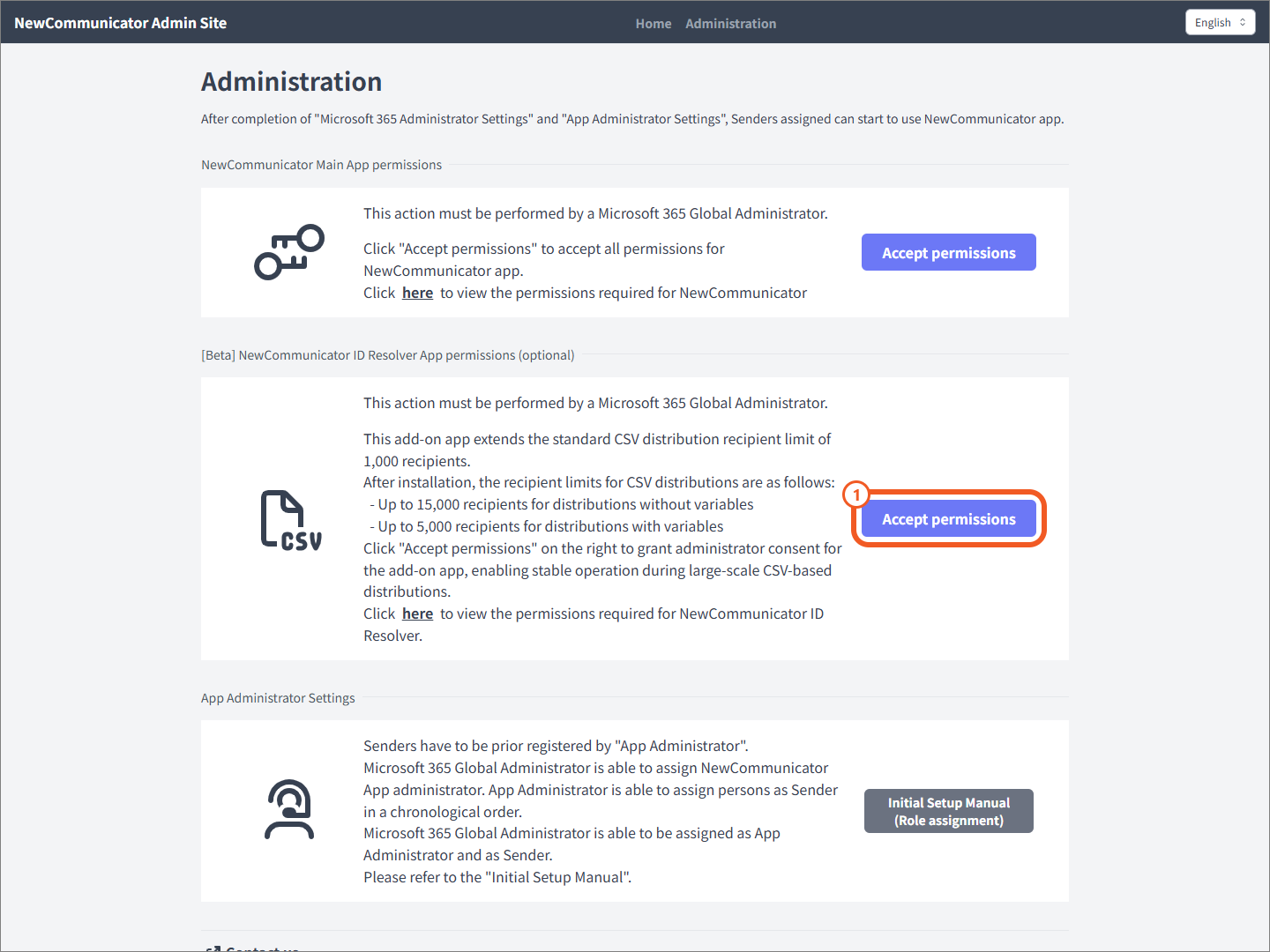
- When the settings page appears, select Accept permissions for the main app.
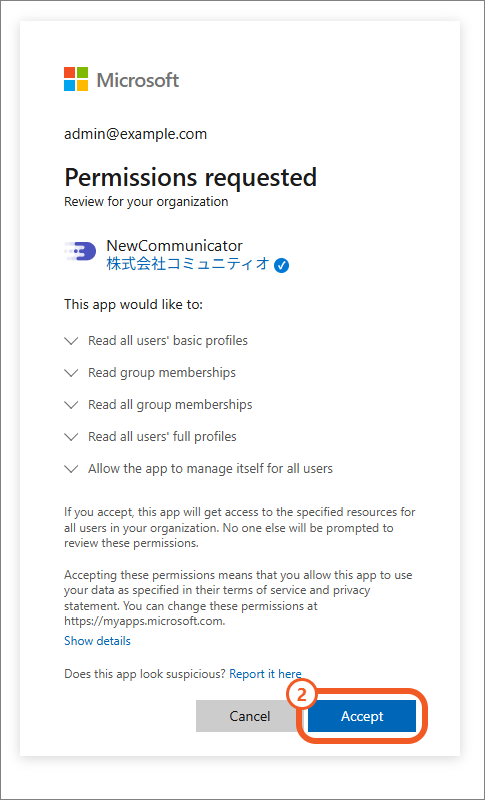
- On the Microsoft screen that appears, select Accept.
Using the ID Resolver app
The NewCommunicator ID Resolver is an optional, free add-on app that increases the maximum number of recipients for CSV distributions from the standard 1,000 to 15,000 recipients (up to 5,000 when using personalized inserts).
It helps distribute the processing load during large-scale CSV distributions to ensure stable performance of NewCommunicator.
NOTE:
- As this feature is currently in Beta, specifications may change without prior notice.
- When discontinuing your use of NewCommunicator, be sure to uninstall the ID Resolver app as well.
Grant the ID Resolver permissions as follows.
- On the settings page, select Accept permissions for ID Resolver.
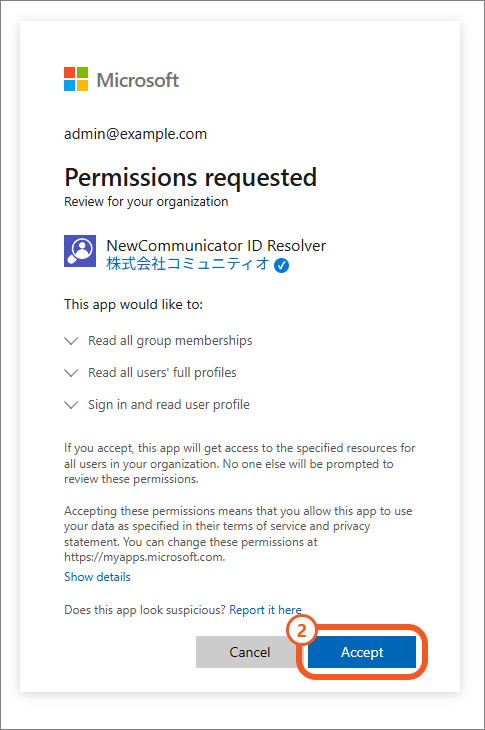
- On the Microsoft screen that appears, select Accept.
App permissions
| Permission | Type | Purpose | Main app | ID Resolver |
|---|---|---|---|---|
User.ReadBasic.All | Delegated | Search for users in the tenant | Yes | — |
GroupMember.Read.All | Delegated | Search for Teams teams and security groups | Yes | — |
GroupMember.Read.All | Application | Enumerate members of recipient groups | Yes | Yes |
User.Read.All | Application | Display user names in delivery reports | Yes | Yes |
TeamsAppInstallation.ReadWriteSelfForUser.All | Application | Install the app for recipients | Yes | — |